LMP3 Quick Setup Guide
Welcome to a quick setup guide for our LMP3 machinery on Le Mans Ultimate. Here will be a brief description of their different characteristics and potentially driving styles required to bring out the most from these cars. Both cars will require different setup philosophies due to their different suspension geometries, but setup knowledge can be passed from one car to the others.
Below will be pictures of each setup screen for each car. When you hover over a setting there will be a little description of what this effects to the right hand side of the screen
Ligier JS P325
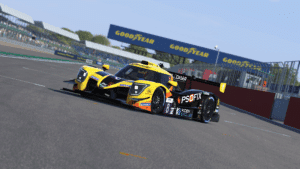
The Ligier is a great all-round platform being more accessible to drivers. It’s nature and behaviour under braking gives it an edge and consistency over it’s rival in this area. Other highlights of this car is it’s behaviour at low speed offering more rotation and front end grip. One downside of this car is the driving position, with being RHD and having it’s A Pillar extremely close to your PoV
Powertain:
Here you will find the settings for your fuel level, radiator covers, traction control settings and your differential settings.
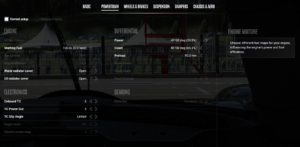
With the Ligier, the differential has been optimised to be helpful around almost every track layout. Some fine tuning depending on driving style can be made to the Preload if you would prefer more rotation on entry by reducing it’s setting, or increase more differential lock causing more understeer on entry. Radiator covers can be fine tuned to help with keeping water and oil temperature’s from exceeding their optimal window ‘would advise keeping these temperatures below 120c’
Wheels & Brakes:
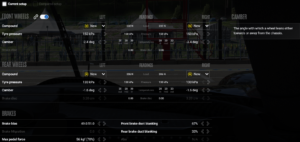
Here you will find the settings for your tyre compounds, pressures, cambers, brake bias, max pedal force, brake ducting.
-
For optimal performance starting tyre pressures on minimum is recommended. Tyres Camber’s have been optimised for most layouts with the LMU default setups.
-
Max Pedal Force: Controller users – Same as Default Setup / Pedal Users – 85-91%
-
Brake Bias: Track dependant, the Ligier can allow for more rearwards bias. Advise controller users to use the default
-
Brake Ducting – Open or close to manage tyre temperatures keeping them within a 85-95c operating window
Suspension:
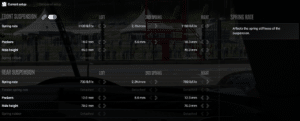
Here you will find the settings for your suspension springs rates, 3rd spring, packers, static ride height.
-
Spring Rates – Left arrow to soften / right arrow to stiffen spring rates. Soften the front to reduce understeer, Stiffen rear springs to increase on throttle rotation ‘Both changes can effect ride heights at speed’
-
Packers – To be used to help stop the car bottoming out at certain parts of the track without changing the static ride height settings.
-
Ride Heights – These figures are the static heights without fuel being added. This can be used to help balance the aero platform in conjunction with your rear wing setting. Higher rear ride height with a lower front; the more rake which can cause a pointier front end/oversteering car on turn in.
Dampers:
Here you will find the settings for all or your cars dampers. Fine tune these depending on the track characteristics and behaviour over kerbs.

-
Tool tips provide a detailed explanation on what each bump and rebound setting will help with.
-
Left arrow to soften / Right arrow to stiffen
Chassis & Aero
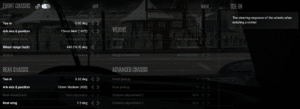
Here you will find the settings for your wheel’s toe, anti-roll bar size’s and positions, wheel range and Rear wing.
-
Front Toe-in – Left Arrow will increase the toe in which helps with high speed stability but can also cause more tyre heating/scrubbing, right arrow will decrease the toe-in creating a toe out which can create a more responsive/unstable turn in with less tyre scrubbing.
-
Rear Toe-in – Left Arrow will decrease the rear toe in which helps with mid-corner entry speed and rotation ‘can result in a more unstable car at the rear’, right arrow will increase the toe-in which can be used to help stabilise the rear of the car on corner entry
-
Front ARB – Left Arrow to soften / right arrow to stiffen ‘Soft front ARBs can generally help the front be more responsive and reactive but cause more instability, Stiffer fronts can help increase stability and inducing understeer’
-
Rear ARB – Left Arrow to soften / right arrow to stiffen ‘Soft rear ARBs can generally help the rear be more planted and stable especially when on throttle, Stiffer rears can help increase the rotation on throttle btu can lead to an instability’
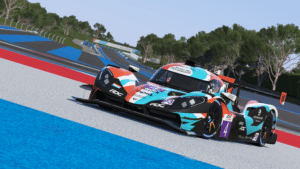
Ginetta G61 LT P325 EVO
Powertain:
Here you will find the settings for your fuel level, radiator covers, traction control settings and your differential settings.
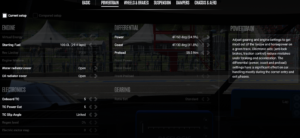
With the Ginetta, the differential has been optimised to be helpful around almost every track layout. Some fine tuning depending on driving style can be made to the Preload if you would prefer more rotation on entry by reducing it’s setting, or increase more differential lock causing more understeer on entry. Radiator covers can be fine tuned to help with keeping water and oil temperature’s from exceeding their optimal window ‘would advise keeping these temperatures below 120c’
Wheels & Brakes:
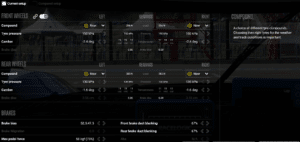
Here you will find the settings for your tyre compounds, pressures, cambers, brake bias, max pedal force, brake ducting.
-
For optimal performance starting tyre pressures on minimum is recommended. Tyres Camber’s have been optimised for most layouts with the LMU default setups.
-
Max Pedal Force: Controller users – Same as Default Setup / Pedal Users – 80-85%
-
Brake Bias: Track dependant, the Ginetta prefers a more neutral brake bias. Advise controller users to use the default
-
Brake Ducting – Open or close to manage tyre temperatures keeping them within a 85-95c operating window
Suspension:
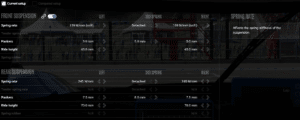
Here you will find the settings for your suspension springs rates, 3rd spring, packers, static ride height.
-
Spring Rates – Left arrow to soften / right arrow to stiffen spring rates. Soften the front to reduce understeer, Stiffen rear springs to increase on throttle rotation ‘Both changes can effect ride heights at speed’
-
Packers – To be used to help stop the car bottoming out at certain parts of the track without changing the static ride height settings.
-
Ride Heights – These figures are the static heights without fuel being added. This can be used to help balance the aero platform in conjunction with your rear wing setting. Higher rear ride height with a lower front; the more rake which can cause a pointier front end/oversteering car on turn in.
Dampers:
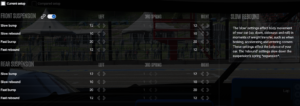
Here you will find the settings for all or your cars dampers. Fine tune these depending on the track characteristics and behaviour over kerbs.
-
Tool tips provide a detailed explanation on what each bump and rebound setting will help with.
-
Left arrow to soften / Right arrow to stiffen
Chassis & Aero
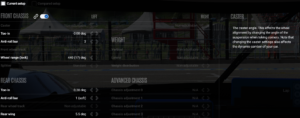
Here you will find the settings for your wheel’s toe, anti-roll bar size’s and positions, wheel range and Rear wing.
-
Front Toe-in – Left Arrow will increase the toe in which helps with high speed stability but can also cause more tyre heating/scrubbing, right arrow will decrease the toe-in creating a toe out which can create a more responsive/unstable turn in with less tyre scrubbing.
-
Rear Toe-in – Left Arrow will decrease the rear toe in which helps with mid-corner entry speed and rotation ‘can result in a more unstable car at the rear’, right arrow will increase the toe-in which can be used to help stabilise the rear of the car on corner entry
-
Front ARB – Left Arrow to soften / right arrow to stiffen ‘Soft front ARBs can generally help the front be more responsive and reactive but cause more instability, Stiffer fronts can help increase stability and inducing understeer’
-
Rear ARB – Left Arrow to soften / right arrow to stiffen ‘Soft rear ARBs can generally help the rear be more planted and stable especially when on throttle, Stiffer rears can help increase the rotation on throttle btu can lead to an instability’